In This Article
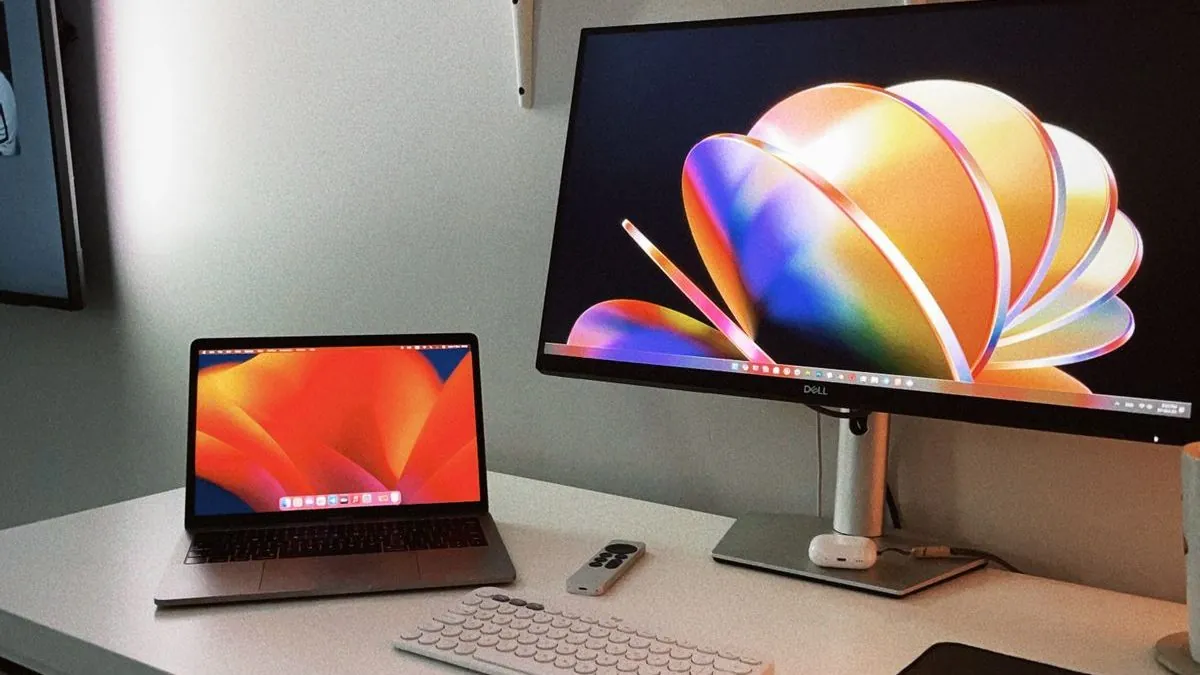
Every desk setup video on YouTube is either "budget" with a $3,000 camera as the anchor piece, or a genuine beginner setup that looks terrible. This is neither. This is what I'd actually build in 2026 if I was starting from scratch with $500 and I needed it to look good on video and be genuinely functional for editing and recording.
No fluff. No "this monitor arm is great" while linking a $150 arm. Real picks, real prices.
"Every desk setup video is either 'budget' with a $3,000 camera as the anchor, or a setup that looks terrible. This is neither."
Best Budget Creator Desk Setup 2026: Everything Under $500
The Approach
The priority order for a creator desk is: audio first, lighting second, camera third. Bad audio kills a video instantly. Bad lighting makes you look unprofessional. A slightly soft webcam image? Viewers barely notice. Most people build this backwards and wonder why their content looks off.
The other rule: buy less gear, buy better. A $60 monitor arm and a $30 cable organizer are not upgrades. Spend that money on the things that show up on camera. For more, check out budget creator gear.
Monitor
Portable Triple Monitor: Kefeya S6
If you work from different locations — coffee shops, hotels, clients' offices — the Kefeya S6 Triple Display is a legitimate productivity upgrade. It clips onto your laptop and gives you two extra screens without needing a desk setup at all. I reviewed it and it actually delivers on its promise for creators and remote workers.
LG 27" IPS 1080p or 1440p — ~$180–$220 CAD
~$200 CAD
A 27" IPS panel is the sweet spot for a creator desk. Big enough to have two windows open side by side, accurate enough for colour grading, cheap enough not to feel like a compromise. LG's budget IPS monitors consistently hit above their price. The 1440p version is worth the extra $30–40 if you do any colour work.
Lighting
Elgato Key Light Mini or NEEWER SL-60W — ~$80–$100 CAD
~$90 CAD
One good key light does more for your on-camera look than any camera upgrade. The Elgato Key Light Mini is the easiest option — app controlled, compact, consistent. If you want more raw output, the NEEWER SL-60W is brighter and cheaper but needs a separate stand. Either one gets the job done. For more, see laptop extender displays for remote work.
Put it at about 45 degrees to your face, slightly above eye level. That's it. Don't overthink it. For more, check out GoPro Mission 1 Pro.
Photo via Pexels
Webcam or Camera
Logitech C920s or Insta360 Link — ~$80–$130 CAD
~$100 CAD
The C920s is the reliable default — 1080p, good low-light, works on every platform, always on sale. If you want to stand out and have the budget, the Insta360 Link is genuinely impressive with its AI tracking and 4K output. For most people starting out, the C920s is the right call. For more, see budget streaming gear for beginners.
Important: with good lighting, a $80 webcam looks significantly better than a $200 webcam in bad lighting. Light first, camera second. Always. For more, check out USB microphones under $100.
Audio
FIFINE AM8 or Blue Snowball iCE — ~$60–$80 CAD
~$70 CAD
This is the most important purchase on the list. The FIFINE AM8 is a USB dynamic mic that punches well above its price — it rejects background noise better than most condensers in its range, which matters if you're not in a treated room. The Blue Snowball iCE is cheaper and still sounds good for voice recording and streaming.
Get a basic boom arm (~$20) so the mic isn't sitting on your desk picking up every keystroke.
The Rest
- Desk mat (~$25) — makes everything look more intentional on camera and feels better to work on
- Basic boom arm for mic (~$20) — keep the mic off the desk surface
- Cable management sleeve or velcro ties (~$10) — nothing ruins a setup shot like cable chaos
Total Breakdown
| Monitor (27" IPS) | ~$200 |
| Key Light | ~$90 |
| Webcam | ~$100 |
| USB Microphone | ~$70 |
| Extras (mat, arm, cables) | ~$55 |
Give or take — sales happen, prices shift. You can trim $50–80 by skipping the monitor arm and waiting for deals.
That's a complete, functional creator setup that looks good on camera, sounds good on a mic, and won't embarrass you in a Zoom call. It's not the flashiest setup on YouTube — but it's the one that'll actually get used.
Frequently Asked Questions
How do I build a budget desk setup in 2026?
Start with a good monitor arm (frees desk space), a decent USB hub for cable management, a quality microphone if you're on calls, and good lighting. You don't need expensive gear — smart choices under $200 total make a huge difference.
What is the most important piece of a home office setup?
Monitor position and lighting are the highest-impact changes most people overlook. A monitor arm at eye level prevents neck strain; a ring light or key light dramatically improves video call quality.
What budget desk accessories are worth buying on Amazon Canada?
Vertical laptop stands, USB-C hubs, cable management clips, a quality mouse pad, and a budget webcam all offer high value for low cost. Check Amazon.ca for Canadian pricing and delivery.