watchOS 27.2 and HomePod 27.2: Siri Gets Smarter, Sound Glows
Apple's 27.2 updates reach the wrist and the living room: watchOS Siri AI gets memory and speed, and HomePods gain Sound Glow lighting. What changed.
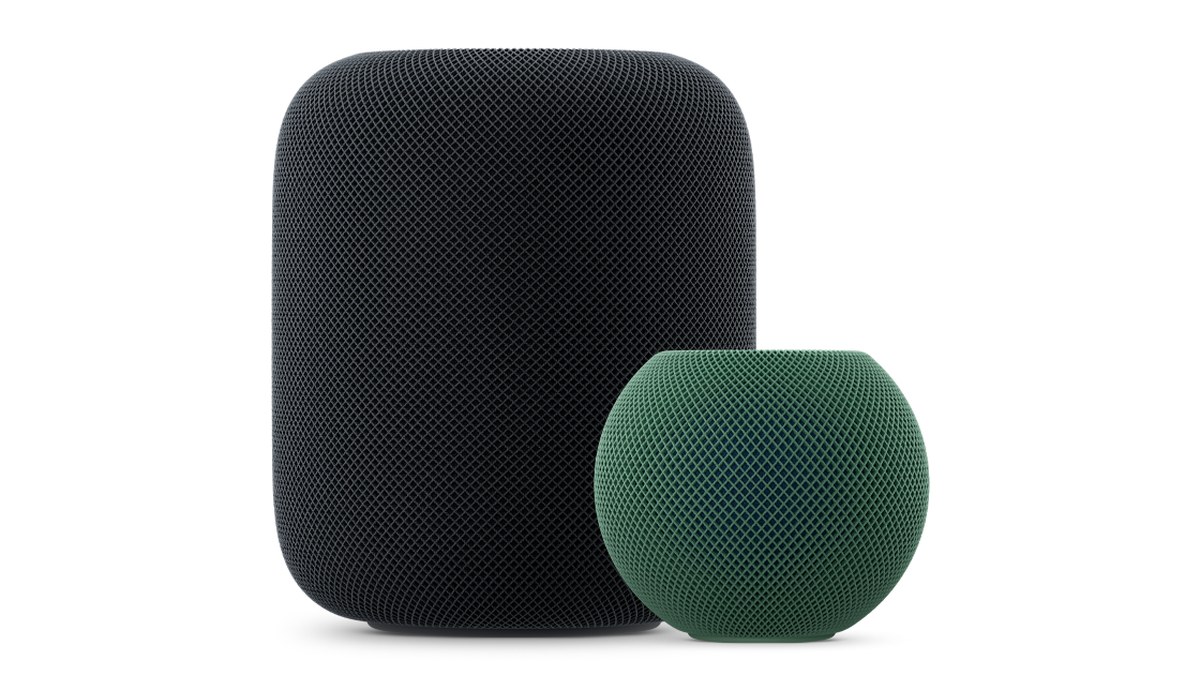
Image: Property of Apple
In this article
watchOS 27.2: Siri that remembers on your wrist
watchOS 27.2, released today, is the first major update to watchOS 27, and Siri AI is the story. Siri on the watch can now recall your past conversations, so you can ask about something it told you before, like the restaurants it recommended last week. It also draws from more sources to build answers, including photos attached in Messages, Calendar event attendees, your voicemails, and better results from Safari history and Reading List on your phone. Responses are faster on the watch itself.
Excluded Apps: the privacy setting worth knowing
The update adds Excluded Apps, a single setting on your iPhone that controls which apps Siri, Search, and suggestions can access. If you have ever wanted personal data sources like voicemails or Messages photos included in answers, this is the control that governs it. It is the kind of granular permission that decides whether Siri AI feels helpful or invasive, and it defaults to your existing choices rather than silently reaching into everything.
How to install watchOS 27.2
The update installs from the Settings app on the watch or the Apple Watch app on your iPhone, with two conditions: the watch must be on its charger and above 50 percent battery. Plan for it overnight rather than hoping for a two-minute install before you head out. Siri AI also expands to French, Japanese, Korean, Portuguese, and Spanish with this release, and remains unavailable in the EU and mainland China.
HomePod 27.2: Sound Glow for existing speakers
HomePod Software 27.2 brings Sound Glow to existing HomePod and HomePod mini models. The top of the speaker lights up with color that pulses in sync with whatever is playing, turning the illuminated surface into a small dynamic light display matched to your music. According to Apple's rollout, Sound Glow reaches every current model except the original HomePod, and the update also adds Lock Controls across the lineup. Early user reports also describe fuller sound with stronger bass; treat those as impressions, not measurements.
tvOS 27.2: surround sound with HomePods
The Apple TV side of today's releases, tvOS 27.2, adds HomePod surround sound support, letting HomePods operate as front and rear pairs around your television. It is a meaningful upgrade for anyone using HomePods as TV audio, and it arrives alongside Apple's newly announced Apple TV 4K hardware. Update the Apple TV in Settings, then pair the speakers.
Why this release matters
The 27.2 family is the first big feature drop since the September launches, and the theme is consistent: Siri AI getting more personal context everywhere it exists, and the home getting more visual. With HomePod mini 2 launching October 30 at US$149 and Apple's HomeView smart display arriving November 13, today's free update makes the gear you already own feel newer before the new hardware even ships.
Frequently Asked Questions
A quiet detail worth knowing: HomePod updates install automatically in most cases, and the Home app shows the current software version per speaker. If Sound Glow does not appear right away, give the speaker a day to pull the update, then restart it from the Home app. On the Apple Watch side, the update only offers itself when the charger and battery conditions are met, so an Apple Watch that seems stuck on 27.0 is usually just waiting for its overnight charge.
One more comparison worth making: against the smart displays Apple announced this month, the Sound Glow update shows the direction. Instead of only selling you a screen for the living room, Apple is making the speakers you already own more expressive with light. If you have been weighing a smart display purchase, the free 27.2 update is a good reason to first see how much nicer your existing HomePods feel before spending anything.
How do I get Sound Glow on my HomePod?
Update to HomePod Software 27.2 in the Home app, then play music and enable Sound Glow. Every current HomePod and HomePod mini model supports it except the original HomePod.
Can Siri on Apple Watch remember past conversations?
Yes, with watchOS 27.2. Siri AI can recall things it told you before, like restaurant recommendations from last week, and it can pull from Messages photos, Calendar attendees, voicemails, and Safari history from your iPhone.
What are Excluded Apps in watchOS 27.2?
A privacy setting on your iPhone that lets you choose, in one place, which apps Siri, Search, and suggestions are allowed to access.
Why will my Apple Watch not install watchOS 27.2?
The watch needs to be on its charger with more than 50 percent battery before the update will install. Put it on the charger and try again.
Does HomePod surround sound work with any Apple TV?
tvOS 27.2 adds HomePod surround support with HomePods working as front and rear pairs. You need the tvOS 27.2 update and HomePods updated to HomePod Software 27.2.