Creality SPARKX i7 Nano: What $299 Multi-Colour 3D Printing Actually Gets You
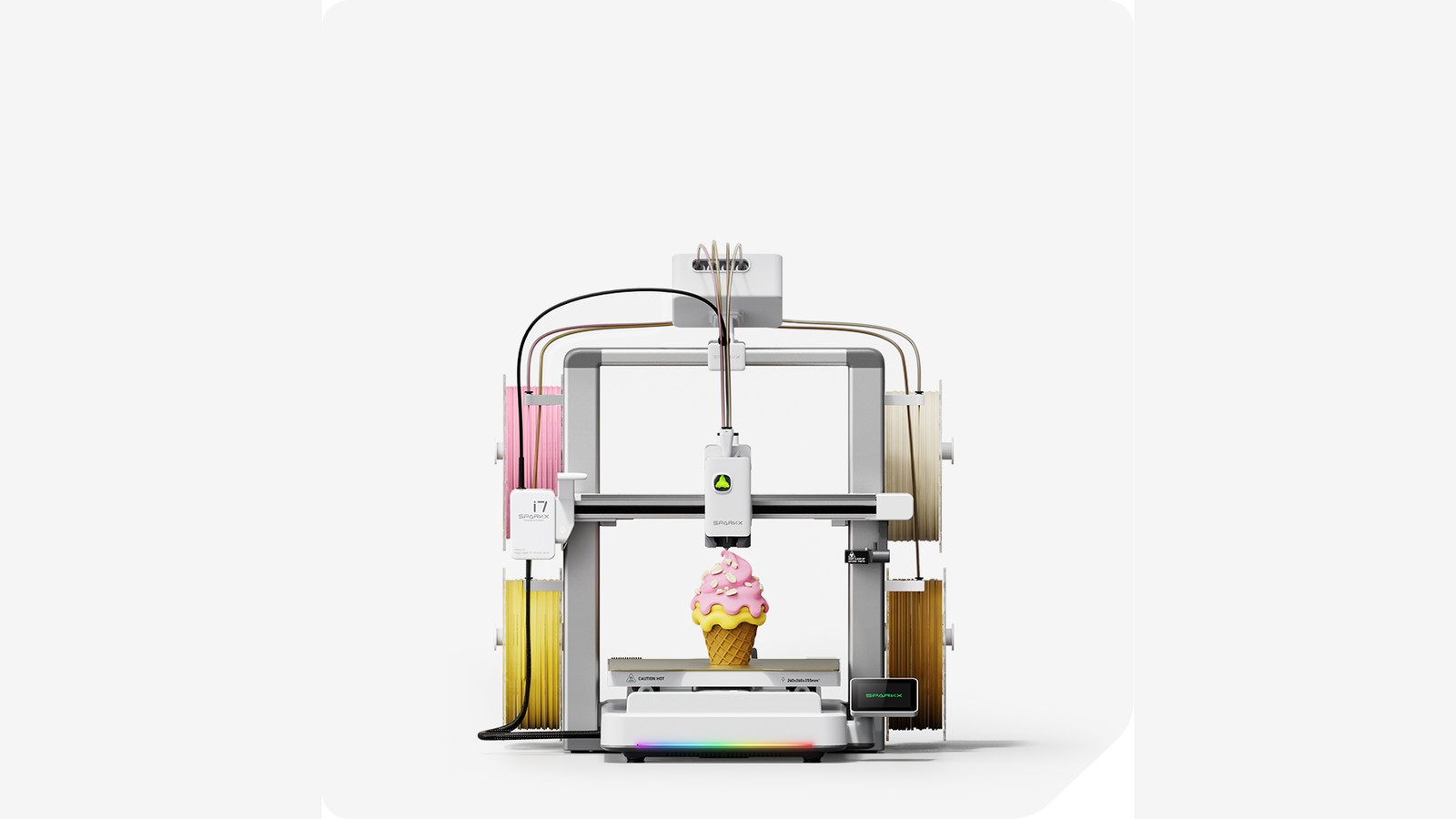
Image: Property of Creality / Shenzhen Creality 3D Technology Co., Ltd.
Four-colour 3D printing for $299 USD ($289 CAD) used to be a fantasy. Creality's SPARKX i7 Nano, launched August 15, bundles a compact filament switcher, AI photo-to-3D conversion, and a 45 dB quiet mode into a box that sets up in 5 minutes. I have not tested one hands-on yet, but the spec sheet raises interesting questions about what entry-level 3D printing looks like in 2026.
Table of Contents
What the SPARKX i7 Nano Actually Is
Creality launched the original SPARKX i7 in January 2026 as their entry-level "lifestyle" 3D printer. The i7 Nano, released August 15, is the compact version — same printer, smaller footprint, bundled with the new CFS nano Kit for multi-colour printing.
The key difference between the Nano and the original i7 is the filament system. The original i7 used a separate CFS Lite unit that sat beside the printer. The Nano moves the filament switching on top of the printer via the CFS nano Kit, which snaps on without tools. This reduces desk space requirements significantly — important if your 3D printer lives on a crowded workbench or in a small apartment.
Creality's pitch is simple: multi-colour 3D printing used to cost $700+ (Bambu Lab A1 Mini Combo is $399, Prusa MK4 with MMU is $799+). The i7 Nano brings it down to $299. Whether the execution matches the price is the real question.
Full Spec Sheet
Here are the verified specs from Creality's official store and 3D Printing Industry's launch coverage:
SPARKX i7 Nano Specs
The build volume of 260 x 260 x 255 mm is solid for a printer at this price. For context, that is large enough to print a standard helmet visor bracket, a phone stand, or a full set of board game pieces in a single job. The 500 mm/s max speed is fast — though real-world print speeds are typically 200-300 mm/s for quality results, with 500 mm/s reserved for draft prints.
How the Multi-Colour System Works
The CFS nano Kit is what makes the i7 Nano interesting. It is a compact filament switching unit that mounts on top of the printer body using a snap-on mechanism. No tools, no modifications to the printer frame.
Inside the CFS nano, a dual-motor system handles filament management. One motor switches between filament channels (up to four), and the other controls feeding and retraction. When the printer needs to change colours mid-print, the CFS nano retracts the current filament, switches to the next channel, and feeds the new colour through the Bowden tube to the extruder.
The system also supports RFID-tagged filament spools. Creality includes free Hyper PLA RFID filament with the printer (2 spools in the U.S., 4 spools in Canada as of the current promotion). The RFID tags let the printer automatically detect filament type and colour, which simplifies the setup process — you load the spool, and the printer knows what it is.
Automatic refill is another feature: if one spool runs out during a long print, the system can switch to a backup spool of the same colour without pausing. This matters for overnight prints or jobs that use a lot of a single colour.
AI Photo-to-3D and Print Monitoring
The i7 Nano includes a feature called CubeMe, which converts 2D portrait photos into 3D printable models. You take or upload a photo, tap one button, and the software generates a 3D model you can print. Creality positions this as a way for beginners to start printing without learning 3D modelling software.
How well does it work in practice? Without hands-on testing, I cannot say. But the concept is compelling — it removes the biggest barrier to entry for 3D printing, which is the learning curve for CAD software. If you can take a photo, you can make a 3D print. The quality of the resulting model will depend on the photo quality, lighting, and the subject, but for decorative prints (lithophanes, figurines, personalized gifts), it should be more than good enough.
The 720p AI camera serves two purposes: real-time print monitoring and failure detection. It is designed to detect "spaghetti" errors (when a print detaches from the bed and the printer keeps extruding filament into mid-air) and air printing (when filament runs out or jams but the printer keeps moving). When a failure is detected, the printer can pause and alert you.
This is a genuinely useful feature for beginners. The most common 3D printing failure is a detached first layer, and catching it early saves hours of wasted print time and filament.
Pricing: US and Canada
Here is the pricing breakdown as of August 24, 2026:
| Configuration | US Price | Canada Price | What's Included |
|---|---|---|---|
| SPARKX i7 (printer only) | $229 USD (sale from $279) | CA$289 (sale from CA$349) | Printer + 2 free Hyper PLA RFID spools |
| SPARKX i7 Nano (with CFS nano) | $299 USD | CA$289 (sale from CA$349) | Printer + CFS nano Kit + free RFID filament |
Wait — the Canadian price for the Nano combo is actually lower than the US price when you convert. CA$289 is approximately $210 USD at current exchange rates. That is an aggressive price for the Canadian market, and it includes 4 free RFID filament spools instead of the 2 included in the U.S.
For comparison with what else is on the market at this price point: a Bambu Lab A1 Mini without multi-colour is $199 USD. The A1 Mini with the AMS Lite multi-colour system is $399 USD. So the Creality i7 Nano at $299 sits between the Bambu A1 Mini (cheaper, smaller build volume) and the A1 Mini Combo (more expensive, proven multi-colour system).
How It Compares to the Competition
The budget multi-colour 3D printer market in 2026 has three main contenders:
| Printer | Price (USD) | Build Volume | Colours | Key Difference |
|---|---|---|---|---|
| Creality SPARKX i7 Nano | $299 | 260 x 260 x 255 mm | 4 | AI photo-to-3D, 45 dB quiet mode |
| Bambu Lab A1 Mini Combo | $399 | 180 x 180 x 180 mm | 4 | Proven multi-colour system, smaller build |
| Prusa MK4 + MMU3 | $799+ | 250 x 210 x 220 mm | 5 | Open source, most reliable, expensive |
The i7 Nano offers the largest build volume of the three at the lowest price. The Bambu Lab A1 Mini has a smaller build volume (180 mm vs 260 mm) but Bambu's multi-colour system is more battle-tested. Prusa is the reliability king but at more than double the price.
For someone choosing on price alone, the i7 Nano wins. For someone choosing on proven multi-colour reliability, the Bambu is the safer bet. For someone who values open-source firmware and maximum reliability over cost, Prusa remains the gold standard.
Who This Printer Is For
The i7 Nano is aimed squarely at beginners. Here is who it makes sense for:
- First-time 3D printer buyers who want multi-colour without spending $400+. The 5-minute setup and auto-calibration remove the most frustrating part of getting started.
- Content creators and hobbyists who want to make colorful props, figurines, or decorative items. The AI photo-to-3D feature is genuinely interesting for this use case.
- People in small apartments — the 45 dB night mode and compact footprint (the CFS nano mounts on top, not beside) make it more livable than larger setups.
- Anyone who has been waiting for multi-colour to get cheaper. $299 for four-colour printing is a new price floor.
Who it is not for:
- People who need absolute reliability for production work. Creality's quality control has improved, but Bambu Lab and Prusa still have better track records for consistency.
- Advanced makers who want to tweak every parameter. The i7 Nano is designed to be easy, not endlessly configurable.
- Anyone printing with engineering filaments regularly. The 300°C nozzle can handle most materials, but the open-frame design (no enclosure) limits you with high-warp materials like ABS and PC.
Questions Before You Buy
If you are considering the i7 Nano, here are the questions worth asking:
- How much filament does multi-colour waste? Creality says 50% less than competitors, but the real number depends on your prints. Calculate waste for your typical project before committing.
- Is the CFS nano compatible with third-party filament? The RFID system is optimized for Creality's own Hyper PLA. Third-party filament will work but without automatic colour/type detection.
- How loud is 45 dB in real life? 45 dB is roughly the volume of a quiet conversation or a refrigerator hum. It is quiet enough to run in the same room you are sleeping in, but not silent.
- What is Creality's warranty and support like in Canada? The US store lists up to 12-month warranty and lifetime customer support. The Canadian store should offer the same, but verify before purchasing.
The Bottom Line
The Creality SPARKX i7 Nano is the cheapest way to get into multi-colour 3D printing as of August 2026. At $299 USD ($289 CAD on sale), it undercuts the Bambu Lab A1 Mini Combo by $100 while offering a larger build volume. The AI photo-to-3D feature and 45 dB quiet mode are genuine differentiators that no competitor offers at this price.
The trade-offs are predictable: Creality's multi-colour system is newer and less proven than Bambu's AMS, the open-frame design limits high-temp filament use, and long-term reliability is an open question. But for a beginner who wants to try multi-colour printing without a $400+ investment, the i7 Nano is the most compelling option right now.
The Canadian price of CA$289 with 4 free filament spools is particularly aggressive — if you are in Canada and have been waiting for multi-colour 3D printing to get affordable, this is your moment. Just check the Creality Canada Store for stock availability, as the ETA was listed as August 28 at time of writing.