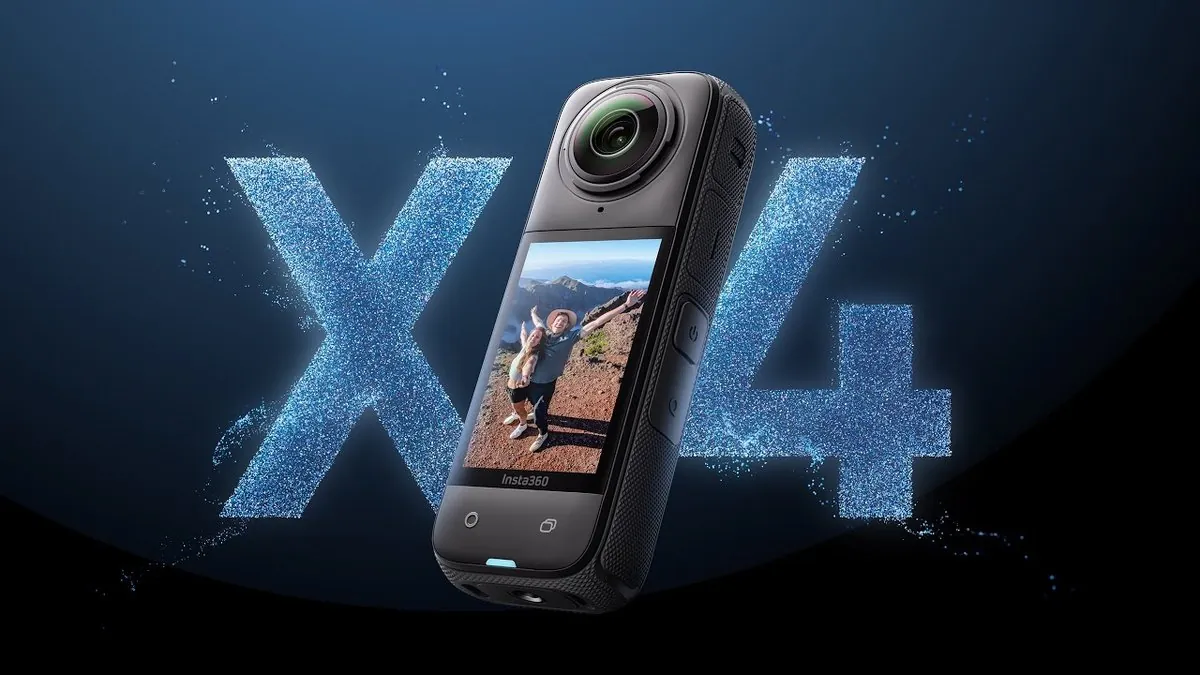
Insta360 X4 Firmware v2.30.0: What Changed and Should You Update?
Insta360 released firmware version v2.30.0 for the X4 on July 28, 2026. If you own an X4 and have been putting off the update, here's what you need to know — what changed, what features you might be missing from earlier updates, and whether it's safe to install right now.
In This Article
What's in Firmware v2.30.0
According to the official Insta360 X4 download page, v2.30.0 includes routine bug fixes and performance improvements to keep the camera running efficiently. This is a stability update rather than a feature drop — if your X4 has been crashing intermittently, freezing during playback, or having connectivity issues with the app, this update should help.
Insta360's changelog for v2.30.0 doesn't list specific new features, which means the work is under the hood. Based on community feedback from earlier X4 firmware versions, common fixes in these routine updates include:
- Improved thermal management during long 8K recording sessions
- Better Wi-Fi connection stability between camera and the Insta360 mobile app
- Refinements to white balance and exposure consistency across clip transitions
- Battery drain optimizations when the camera is in standby mode
Quick Summary
| Firmware Version | v2.30.0 |
|---|---|
| Release Date | July 28, 2026 |
| Update Type | Bug fixes & performance improvements |
| Risk Level | Low — stability update |
| Should You Update? | Yes, especially if you've had app connectivity or thermal issues |

Major Features Added in Recent X4 Firmware Updates
If you haven't updated your X4 in a while, you might be missing features that were added in earlier firmware versions. Here's a recap of the most significant additions from recent X4 updates:
360 Live Broadcasting (Webcam Mode)
One of the biggest additions to the X4 was the ability to stream real-time 360-degree or flat footage directly from the camera to platforms like YouTube and Facebook. This turns the X4 into a live-streaming 360 camera — useful for events, outdoor broadcasts, or motorcycle ride streaming. To use it, you need firmware v1.2.21 or later and the Insta360 app v1.68.0 or above.
New Frame Rates: 48fps in 5.7K and 4K
360 Mode gained a 48fps option for both 5.7K and 4K resolution. This gives you a middle ground between the cinematic look of 30fps and the smooth motion of 60fps — particularly useful for fast-action content like motorcycle riding where you want smooth playback without the storage overhead of 60fps.
Insta360 GPS Action Remote Support
Firmware updates added compatibility with the Insta360 GPS Action Remote, which lets you control the camera remotely and embed GPS data into your footage. For motorcycle riders, this means you can start and stop recording without taking your hands off the bars, and your ride data (speed, route, elevation) gets overlaid automatically in the app.
Android Connectivity Improvements
Earlier X4 firmware improved the Android connection experience, making the initial pairing and file transfer process more reliable across different phone manufacturers. If you had connection issues with a Samsung, Pixel, or other Android device, updating should resolve them.
Additional Languages
Polish and Malaysian language support were added to the camera's on-screen interface in a recent update, bringing the total language count up for international users.

Should You Update?
The short answer is yes. Here's my reasoning based on running Insta360 cameras across thousands of kilometres of motorcycle riding:
- If you've had any crashes or freezes: Update immediately. v2.30.0 targets exactly these kinds of issues.
- If you stream live: Update to make sure you have the latest Webcam Mode stability.
- If you're about to leave on a trip: Update now and test your setup before you go. Never update firmware the night before a shoot without testing.
- If everything works perfectly: Still update. Routine fixes often address battery drain and thermal issues you may not notice until a long shoot in hot weather.
How to Update Your Insta360 X4
There are two ways to update the X4 firmware:
Method 1: Via the Insta360 App (Recommended)
- Open the Insta360 app on your phone
- Connect your X4 via Wi-Fi (press and hold the power button, then select the camera in the app)
- The app will automatically notify you if a new firmware update is available
- Tap the notification and follow the on-screen instructions
- Keep your phone near the camera and don't close the app until the update completes
- The camera will restart when the update is finished
Method 2: Via microSD Card
- Go to insta360.com/download/insta360-x4
- Download the latest firmware file
- Copy the file to the root directory of your microSD card (not in a folder)
- Insert the microSD card into your X4
- Power on the camera — it will detect the firmware file and prompt you to update
- Wait for the update to complete and the camera to restart
Before updating, always:
- Charge your camera to at least 50%
- Back up any important footage from your microSD card
- Remove any third-party lens guards that might interfere with the update process
- Use the official Insta360 app or download page — never third-party firmware mirrors
X4 vs X5: Should You Upgrade Instead?
If you're updating firmware because your X4 is feeling outdated, you might be wondering whether it's time to jump to the X5 instead. I own two X5s and use them alongside my other Insta360 cameras, so here's my honest take:
The X4 remains a capable 360 camera. The 8K 360 recording, 5.7K Active Frame, and removable lens guards make it a solid choice for most creators. The X5 improves on it with better low-light performance, improved stitching, and faster processing — but the X4 is far from obsolete, especially with the ongoing firmware support Insta360 continues to provide.
If your X4 works well after the v2.30.0 update, keep it. The X5 is a meaningful upgrade if you shoot a lot in low light, need faster offloading, or want the latest AI editing features. But for daylight motorcycle riding footage and standard 360 content, the X4 with current firmware is still excellent.
Frequently Asked Questions
What is Insta360 X4 firmware v2.30.0?
Firmware v2.30.0 is the latest update for the Insta360 X4, released July 28, 2026. It includes routine bug fixes and performance improvements to keep the camera running efficiently.
Should I update my Insta360 X4 to v2.30.0?
Yes. v2.30.0 includes stability improvements and bug fixes. There are no known issues with this update. Always back up your footage before updating, and update via the official Insta360 app or download page.
How do I update my Insta360 X4 firmware?
Open the Insta360 app, connect your X4 via Wi-Fi, and the app will notify you if an update is available. Follow the on-screen prompts. Alternatively, download the firmware from insta360.com/download/insta360-x4 and copy it to your microSD card.
Does the Insta360 X4 support live broadcasting?
Yes. An earlier firmware update added 360 Live Broadcasting to Webcam Mode, allowing you to stream real-time 360 or flat footage directly from the X4 to platforms like YouTube and Facebook.
Is the Insta360 X4 still worth buying in 2026?
Yes. The X4 remains a strong 360 camera with 8K recording, and Insta360 continues to release firmware updates for it. If you find a good price, it's a great value. The X5 is the better choice if you need better low-light performance and faster processing.
Related Articles
Some links in this article are affiliate links. If you purchase through them I may earn a small commission at no extra cost to you. All opinions are my own based on real-world use.