

Photo: site library
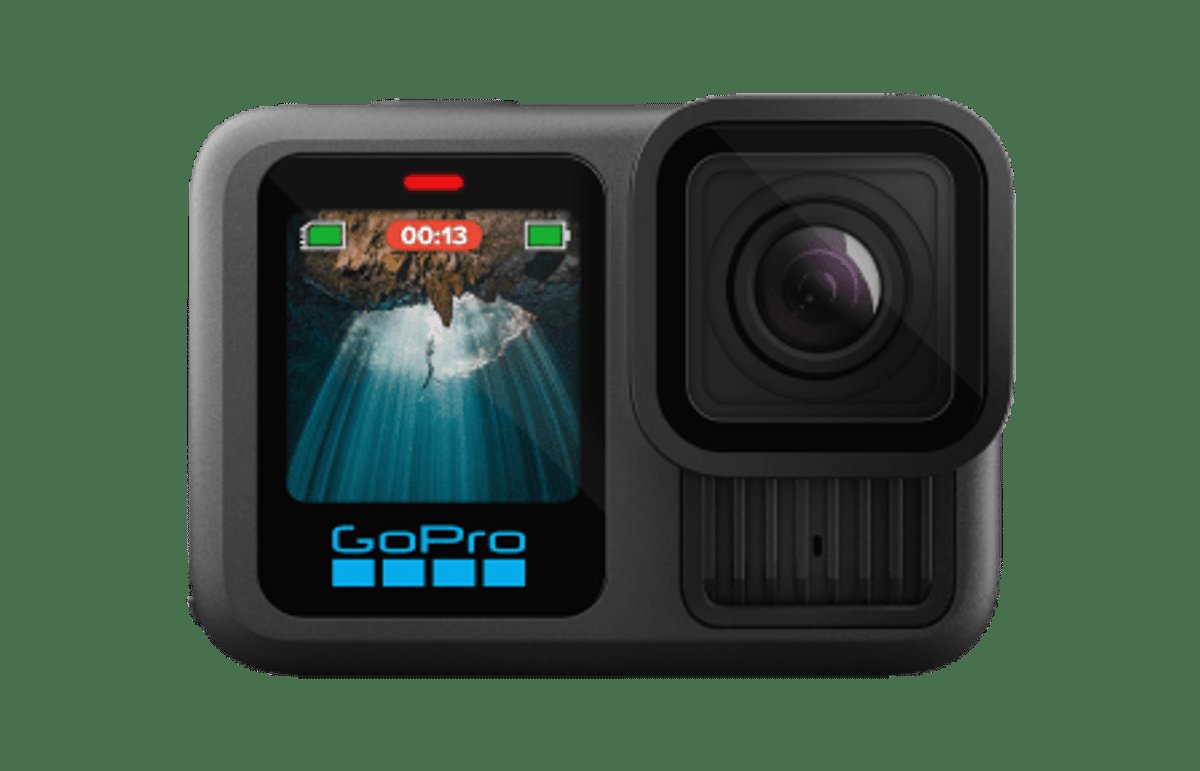
A motorcycle camera has to balance detail, smoothness, file size and editing time. GoPro lists the HERO13 Black with video up to 5.3K at 60 frames per second and HyperSmooth 6.0 stabilization. Those headline capabilities do not mean every ride should be recorded at the highest setting. The useful choice depends on whether the footage is a scenic record, a crop-friendly edit, or a long day where storage and battery matter.
Start with the kind of ride footage you want
Before opening the settings menu, decide what the clip is for. A short pass through a viewpoint can justify a high-detail mode because there are fewer clips and more room to edit. A full day of touring is different: continuous high-resolution recording creates larger files, uses more power and leaves more footage to review.
For a normal ride, choose a resolution and frame rate you can edit comfortably, then keep that choice consistent across the day. Consistency makes a sequence of roads easier to cut together. If you intend to crop or reframe the image later, a higher-resolution source can provide more room, but it cannot fix a camera angle that points at the sky or the rider's shoulder.
Mount position matters as much as the number on the screen. Secure the camera to a stable, approved mount, check that the lens has an unobstructed view, and make a short test clip while stationary. Confirm that the horizon, controls and enough road context appear in frame. Never adjust a camera while moving.
Choose resolution and frame rate deliberately
GoPro's HERO13 product information specifies a maximum video mode of 5.3K60. Think of resolution as image detail and frame rate as how many frames are captured each second. A higher resolution can preserve detail and give more flexibility for cropping. A higher frame rate can provide more frames for slow-motion choices in editing, but it also increases the amount of footage your workflow must handle.
There is no universal “motorcycle setting.” For a long ride that will be watched at ordinary speed, a moderate supported resolution and frame rate is a sensible starting point. Save the highest modes for planned clips where the extra detail or editing flexibility is worth the storage and processing cost. GoPro's official settings guide lists the actual resolution and frame-rate combinations. Use that table as the source of truth: do not assume every frame rate is available at every resolution.
Make a settings note before leaving. Record resolution, frame rate, lens or field-of-view choice, and stabilization setting. If the footage looks different between scenes, the note helps identify whether a menu change, lighting condition or camera position caused it.
Use stabilization with a secure mount
HERO13 Black includes HyperSmooth 6.0. Stabilization is particularly relevant to motorcycle footage because the camera can receive vibration and movement from the mounting point. It can help produce a steadier-looking image, but it is not a substitute for a tight, secure mount, and no software mode should be treated as a guarantee that every rough-road clip will look smooth.
Start with a supported stabilization option shown in GoPro's video-settings guide, then review a short sample on the device or in the editing workflow. If the frame feels too tight or the composition changes, revisit the framing choice rather than simply increasing stabilization. Stabilization can affect the usable field of view, so the same scene may look more cropped than expected.
Keep the camera mount clear of controls, lights and anything that could distract from riding. Check fasteners before departure and at safe stops. A camera should never compromise steering, visibility, passenger safety or compliance with local rules. The footage is optional; a safe ride is not.
Plan for storage, weather and review
Higher resolution and frame rates can make files larger. Check available card space before a long day, carry a spare card if appropriate, and test the card and file-transfer process before relying on them. After each ride, make a second copy of important footage before formatting the card. A quick naming system by date and route makes it easier to find a short clip later.
GoPro rates the HERO13 Black waterproof to 33 feet (10 metres). That is the cameracamera's#39;s stated depth rating, not a promise that every mount, accessory, connector or riding condition is protected from water. Verify the manufacturer's current handling and door-seal guidance, make sure covers are closed correctly, and do not treat rain, pressure washing or road spray as interchangeable with a controlled depth rating.
For practical editing, capture a short test at the settings you plan to use, transfer it, and confirm playback and stabilization before the trip. Then keep the setup simple. The best setting is the one that produces footage you can safely capture, store and finish editing, not necessarily the most impressive specification on the box.
Settings by Ride Type
There is no single correct setup, because a helmet view and a chase shot want different things from the file. What follows is my recommendation for each kind of riding clip, built on the camera's documented capabilities (5.3K60 recording and HyperSmooth 6.0 stabilization) rather than a claim that I tested every combination.
| Ride type | What I would shoot | Why this one |
|---|---|---|
| Helmet POV, road ride | 4K at 60 fps, HyperSmooth on | Enough resolution to crop, and 60 fps keeps the horizon steady when the camera is mounted on a moving helmet. |
| Tank or bar mount, smooth pavement | 5.3K at 30 fps, HyperSmooth on | Highest detail the camera offers, and frame rate matters less when the mount is not being jostled by your head. |
| Gravel, chipseal or rough secondary road | 4K at 60 fps, stabilization on, accept the crop | Stabilization works by cropping and shifting the frame, so leave resolution headroom instead of pushing the maximum. |
| Onboard audio you intend to keep | Any resolution, 30 fps, wind noise managed at the source | Frame rate does not rescue audio. Mounting and a windscreen do. |
| Multi-day trip, storage-limited | 2.7K at 60 fps for daylight riding | Smaller files per minute, still above 1080p, leaves room for the clips you will actually edit. |
Two things are worth being blunt about. First, the camera's rated waterproofing is 33 ft (10 m), which says nothing useful about a wet ride at highway speed: pressure, salt and grit are different problems. Second, HyperSmooth is not free. Every stabilized frame is a crop, so the tighter your mount and the rougher the road, the more of your field of view you are spending on smoothness.
The Tradeoff, Stated Plainly
Every setting choice spends one of three things: detail, storage or frame rate. Decide which one you can afford before you leave, because changing your mind at a roadside pullout costs you the clip you already missed.
| You want | You give up | Practical consequence on a ride |
|---|---|---|
| Maximum detail (5.3K) | Storage and card speed | Fewer minutes per card, longer imports, and a laptop that has to work harder in the edit. |
| High frame rate (60 fps) | Storage, and low-light quality | Good for slow motion and for holding a horizon steady; worse after sunset than a lower frame rate. |
| Aggressive stabilization | Field of view | Smoother footage, less of the road in frame, and visible edge wobble if you push it in the edit. |
| Long runtime | Resolution | More clips per battery and card; the footage still looks fine on a phone and on YouTube at 1080p. |
The order I would change things in, if a clip did not work out: mount first, stabilization second, resolution third. A rattling mount ruins footage that no setting can repair, and I have wasted more ride footage on that than on any resolution choice.
What to Check Before You Roll
Four checks, thirty seconds, and they prevent most of the footage losses people blame on the camera.
- Card speed. High-bitrate 5.3K recording writes fast. A slow card stops the recording rather than degrading it, and it usually stops it at the worst moment.
- Mount security. Push the mount, not the camera. Any movement you can feel by hand will be a visible wobble at speed.
- Lens and housing. A fingerprint on the lens is unrecoverable afterwards. Wipe it at every stop, not once at the start.
- Battery and card both installed and seated. The single most common cause of a ride with no footage is a card left in a laptop.
Frequently Asked Questions
What is the maximum video mode on the GoPro HERO13 Black?
GoPro specifies video up to 5.3K at 60 frames per second. Check the official video-settings guide for supported combinations and stabilization options.
Should I record every motorcycle ride in 5.3K?
Not necessarily. Higher resolution can offer detail and cropping flexibility, but it also means larger files and more demanding editing. Choose it when those benefits matter for the clip.
Does HyperSmooth 6.0 eliminate motorcycle vibration?
No setting should be treated as a guarantee. HyperSmooth 6.0 is the HERO13 stabilization system, but a secure mount, sensible framing and a test clip remain important.
Is the HERO13 waterproof for motorcycle rain?
GoPro lists a waterproof rating to 33 ft (10 m). Treat that as the camera's stated rating, not a guarantee for every accessory, seal, spray or riding condition.
Can I change camera settings while riding?
Set and test the camera while stopped. Do not operate the camera or adjust a mount while moving.
Sources
- GoPro HERO13 Black product page. Product capabilities and stated waterproof rating.
- GoPro HERO13 Black video settings and resolutions. Use the official table for supported resolution, frame-rate and stabilization combinations.