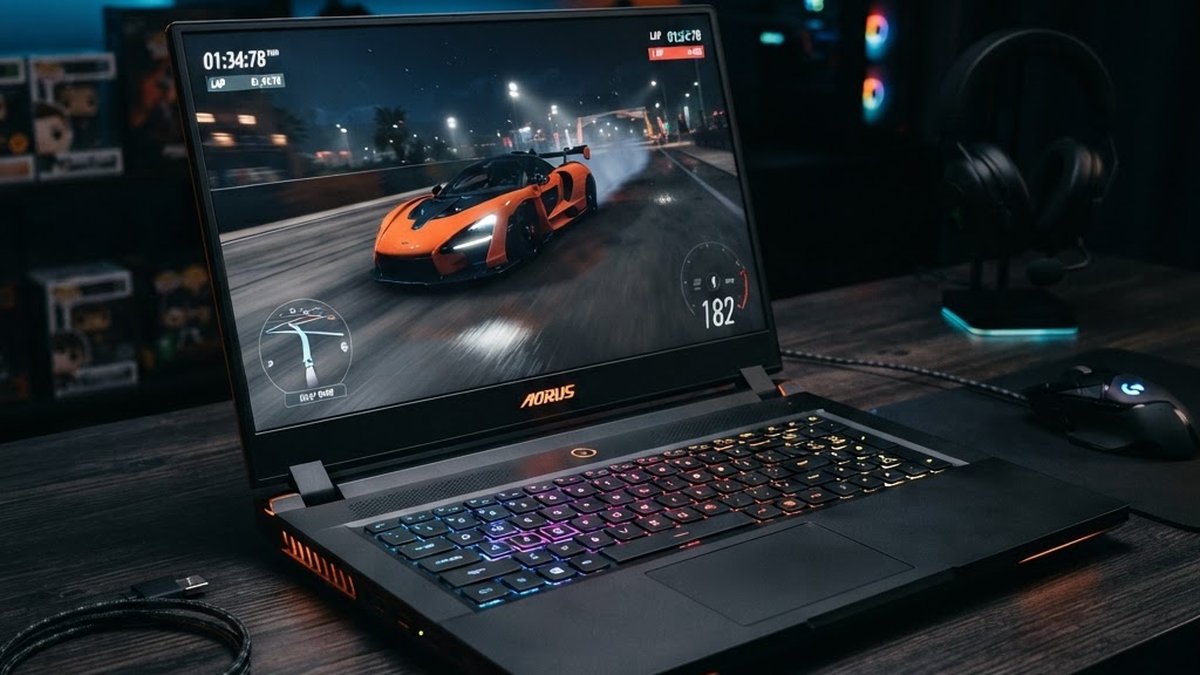
Gaming Laptop GPU Guide 2026: Best Bang for Buck at $1000
I am looking at spending about $1000 on a gaming laptop. With RAM prices up 400% and GPUs getting scarcer, here is how the RTX 3050, 3060, 4050, 4060, and 5060 laptop GPUs compare — and which one is actually worth your money right now.
Table of Contents
Why GPU Shopping Is Harder in 2026
Before we get into the GPU comparison, you need to understand why buying a gaming laptop in 2026 is fundamentally different from any other year. DDR5 memory prices have increased roughly 460% since early 2025. A 32GB DDR5-6000 kit that cost $72 a year ago now costs over $400. AI datacenter demand has consumed the vast majority of memory production capacity for 2026, and consumer retail prices reflect that scarcity.
This matters for laptops because manufacturers are making hard choices about how much RAM to include at each price point. A laptop that would have shipped with 32GB in 2024 now ships with 16GB to keep the price competitive. The GPU is more important than ever because you cannot upgrade it later — it is soldered to the motherboard. Your GPU choice is permanent.
The Three Tiers of Laptop GPUs
I am breaking this into three tiers: budget (under $800), mid-range ($800-1200), and premium ($1200+). At my $1000 target, I am looking at the mid-range tier, but let me walk through all three so you can see where the value is.
Budget Tier: Under $800
This is where you find RTX 3050 and older RTX 3060 laptops on clearance. The 3050 has 4GB VRAM (some refresh models have 6GB) and is based on NVIDIA's 2021 Ampere architecture. It can run esports titles and older games, but modern AAA games at medium settings will struggle. The 3060 laptop is about 50% faster than the 3050 and has 6GB VRAM — it is still a legitimate budget option if you find one on sale.
Mid-Range: $800-1200
This is the sweet spot for 2026. The RTX 4050 and 4060 laptop GPUs live here. The 4050 gives you DLSS 3 frame generation (a genuine game-changer for smooth gameplay) and about 20% more performance than the 3060. The 4060 adds 8GB VRAM and another 17% performance jump. At $1000, you should be aiming for a 4060 laptop — and you can find them.
Premium: $1200+
The RTX 5060 laptop starts at $1099 and goes up from there. It uses NVIDIA's Blackwell architecture with GDDR7 memory and is about 20-30% faster than the 4060. This is also where you start seeing better displays (1440p, OLED), more RAM (32GB), and premium build quality. If your budget stretches to $1400-1600, the 5060 becomes an attractive option.
RTX 3050: Skip It
The RTX 3050 laptop GPU has 4GB of VRAM on most models (some 2024 refreshes have 6GB). In 2026, 4GB is not enough. Here is what that means in practice:
Texture quality: You will be setting textures to low or medium in almost every recent release. Games like Cyberpunk 2077, Alan Wake 2, and Starfield need more than 4GB even at 1080p medium.
Ray tracing: Not viable. The 3050 has too few RT cores for meaningful ray tracing performance, and the VRAM limit makes it worse.
Future-proofing: None. The 3050 is already at the bottom of the performance barrel. Games releasing in 2027 will likely require 6GB VRAM as a minimum.
If a laptop with a 3050 is priced under $700, it might make sense for someone who only plays CS2, Valorant, or Minecraft. For everyone else, skip it.
RTX 3060: Still Viable on a Budget
The RTX 3060 laptop GPU is roughly 50% faster than the 3050 and has 6GB VRAM. It is based on the same Ampere architecture (2021) but has enough CUDA cores and VRAM to handle modern games at 1080p medium-high settings.
What it does well: 1080p gaming at medium-high settings in most current titles (60-90 FPS). Older games and esports titles run at high-ultra settings easily. It supports DLSS 2 (super resolution) but not DLSS 3 frame generation.
Where it struggles: 1440p gaming is marginal. Ray tracing is possible but requires aggressive DLSS to maintain playable frame rates. The 6GB VRAM will become a limitation in 2027+ titles.
Value proposition: You can find refurbished and clearance 3060 laptops for $700-900. If your budget is strictly under $900, a 3060 laptop is the best you can do. Look for models with upgradeable RAM slots — many 3060 laptops ship with 16GB but can be upgraded to 32GB.
RTX 4050: Entry Point for DLSS 3
The RTX 4050 laptop GPU is based on NVIDIA's Ada Lovelace architecture (2023). It is about 20% faster than the 3060 and adds DLSS 3 frame generation, which is the biggest reason to choose it over the 3060.
DLSS 3 frame generation: This feature generates intermediate frames using AI, effectively doubling your frame rate in supported games. It works in over 500 games now, including major titles like Cyberpunk 2077, Hogwarts Legacy, and Black Myth: Wukong. On a 4050, DLSS 3 can push a 45 FPS base rate up to 80-90 FPS, making games feel significantly smoother.
The VRAM problem: The 4050 has 6GB VRAM, same as the 3060. This is the main limitation. At 1080p, 6GB works for most current games at medium-high settings. But texture-heavy titles will require you to drop texture quality, and the situation will get worse over the next 2 years.
Price range: 4050 laptops typically run $800-1000. If you can find one under $900, the DLSS 3 support makes it a better choice than a 3060 at the same price. Above $900, you should be looking at a 4060 instead.
RTX 4060: The $1000 Sweet Spot
This is where my $1000 budget lands, and the RTX 4060 laptop GPU is what I would buy. Here is why.
8GB VRAM: The jump from 6GB to 8GB is bigger than it sounds. It means you can run 1080p ultra settings in virtually every current game without texture pop-in or stuttering. It also makes 1440p gaming viable at medium-high settings with DLSS.
Performance: About 17% faster than the 4050, and roughly 40% faster than the 3060. In benchmark tests, the 4060 laptop delivers 80-120 FPS in most AAA titles at 1080p high settings, and 60-80 FPS at 1440p with DLSS enabled.
DLSS 3 frame generation: Same as the 4050 — works in 500+ games and can boost frame rates by 50-100% in supported titles. Combined with the 4060's extra raw performance, DLSS 3 makes this GPU feel like a much more expensive card.
Price range: 4060 laptops start around $950-1100. At $1000, you can find models from Lenovo (Legion series), Acer (Nitro series), and ASUS (TUF series). Look for sales — I have seen 4060 laptops drop to $899 on Amazon during flash deals.
16GB RAM minimum (check if it is upgradeable to 32GB). 512GB NVMe SSD minimum (1TB preferred). 144Hz display (avoid 60Hz — it bottlenecks the GPU). Good cooling (check reviews — thin laptops thermal throttle). Avoid models with soldered RAM if you want to upgrade later.
RTX 5060: Worth the Premium?
The RTX 5060 laptop GPU launched in 2025 using NVIDIA's Blackwell architecture. It has the same 8GB VRAM as the 4060 but uses faster GDDR7 memory on a 128-bit bus. It also uses a more efficient 4nm manufacturing process, which means it runs cooler and fits into thinner laptops.
Performance: About 20-30% faster than the 4060 laptop in standard benchmarks, with the gap widening to 30%+ in ray-traced titles. According to Tom's Hardware, the 5060 laptop beats the 4060 by over 30% in leaked benchmarks, and the gap stretches to nearly 70% compared to the older 3060 mobile.
DLSS 4 support: The 5060 supports NVIDIA's latest DLSS 4, which adds transformer-based super resolution for better image quality. This is exclusive to the 50-series and will not come to the 4060.
Price: Starting at $1,099. A well-equipped 5060 laptop (32GB RAM, 1TB SSD, 1440p display) runs $1,400-1,800. For a $1000 budget, the 5060 is just out of reach unless you find a base model on sale.
My verdict: If I had $1,400, I would get a 5060 laptop. At $1000, the 4060 is the better choice. The 20-30% performance difference does not justify stretching the budget by 40-50%. The 4060 handles everything I need at 1080p and 1440p, and by the time the 5060's extra performance matters, both GPUs will be due for replacement anyway.
How Much RAM Your Laptop Needs
With DDR5 prices so high, laptop manufacturers are cutting RAM to keep prices down. Many 4060 laptops at $1000 ship with 16GB. Here is what you actually need.
| Use Case | Minimum | Recommended | Notes |
|---|---|---|---|
| Esports & older games | 16GB | 16GB | CS2, Valorant, older AAA games |
| Modern AAA gaming | 16GB | 32GB | Cyberpunk, Starfield, 2027 titles |
| Gaming + Discord + browser | 16GB | 32GB | Background apps use 4-6GB |
| Gaming + streaming | 32GB | 32GB | OBS + game + chat needs headroom |
| Gaming + content creation | 32GB | 64GB | Video editing, 3D, AI tools |
For me, 16GB is the floor at $1000, not the ideal. Modern games can use 12-14GB of system RAM alone. Add Discord (500MB), a few browser tabs (1-2GB), and Windows overhead (3-4GB), and you are at the 16GB ceiling. The system will work, but it will not have breathing room.
My plan: Buy a 4060 laptop with 16GB now, and upgrade to 32GB when DDR5 prices come down. This only works if the laptop has upgradeable RAM slots (not soldered). Check the spec sheet or reviews before buying. Lenovo Legion, Acer Nitro, and ASUS TUF laptops generally have upgradeable RAM. Some thin-and-light models solder it.
VRAM (GPU Memory) — What Matters for Gaming
| VRAM | What It Handles | Verdict for 2026 |
|---|---|---|
| 4GB | Low settings, esports only | Insufficient — avoid |
| 6GB | 1080p medium-high, some 1440p with DLSS | Bare minimum for new buys |
| 8GB | 1080p ultra, 1440p high, some 4K with DLSS | Sweet spot — target this |
| 12GB+ | 1440p ultra, 4K, ray tracing at 1440p | Ideal but expensive |
8GB of VRAM is the target. Both the 4060 and 5060 have 8GB, which is enough for 1080p ultra and 1440p high in the vast majority of current games. 6GB (3050, 3060, 4050) works today but will require texture reductions in demanding 2027 titles.
Full Comparison Table
| GPU (Laptop) | VRAM | Architecture | vs 3050 | DLSS | Price Range | Verdict |
|---|---|---|---|---|---|---|
| RTX 3050 | 4-6GB | Ampere 2021 | Baseline | DLSS 2 only | Under $700 | Skip |
| RTX 3060 | 6GB | Ampere 2021 | +50% | DLSS 2 only | $700-900 | Budget pick |
| RTX 4050 | 6GB | Ada 2023 | +80% | DLSS 3 | $800-1000 | Good entry |
| RTX 4060 | 8GB | Ada 2023 | +110% | DLSS 3 | $950-1200 | Best value |
| RTX 5060 | 8GB GDDR7 | Blackwell 2025 | +160% | DLSS 4 | $1099+ | Premium pick |
My Pick at $1000
At my $1000 budget, the RTX 4060 laptop is the clear winner. It hits the sweet spot of performance, VRAM, and value. Here is exactly what I would look for:
GPU: RTX 4060 laptop (8GB VRAM, DLSS 3) — non-negotiable.
CPU: Any modern 6-core or 8-core processor. Most 4060 laptops pair it with a Ryzen 7 or Core i7, which is more than enough. Do not overspend on a CPU upgrade — the GPU is what matters for gaming.
RAM: 16GB DDR5 minimum, with upgradeable SO-DIMM slots so I can add 32GB later. This is critical — soldered RAM is a deal-breaker at this price point.
Storage: 512GB NVMe SSD minimum. 1TB is better but adds cost. Check if there is a second M.2 slot for expansion — many 4060 laptops have one.
Display: 15.6" or 16" at 1080p or 1200p, 144Hz minimum. Do not accept a 60Hz display — it bottlenecks the 4060. 1440p is nice but rare at $1000.
Cooling: Read reviews. Thin gaming laptops look great but thermal throttle under load. Look for models with good airflow and dual fans.
Brands to watch: Lenovo Legion (excellent cooling), Acer Nitro 16 (best value), ASUS TUF (durable), HP Victus (budget option). All of these offer 4060 configs around $1000.
Related Articles
Gaming PC Tower Build Guide 2026: GPU and RAM Prices Explained How Much Storage Does Video Editing Really Need in 2026? How Much Laptop AI Performance Do You Actually Need? Best Budget Gaming Accessories Under $50Frequently Asked Questions
Sources: Tom's Hardware RAM price tracking (August 2026), TechPowerUp memory analysis, NVIDIA RTX 5060 specifications, PassMark GPU benchmarks, UserBenchmark, Tom's Hardware 5060 vs 4060 benchmark comparison. Prices verified August 28-29, 2026.
Information checked August 29, 2026. Prices in USD. Confirm current pricing with retailers before purchasing.