Why 8K Action Camera Footage Stutters in Your Editor, and the Fix
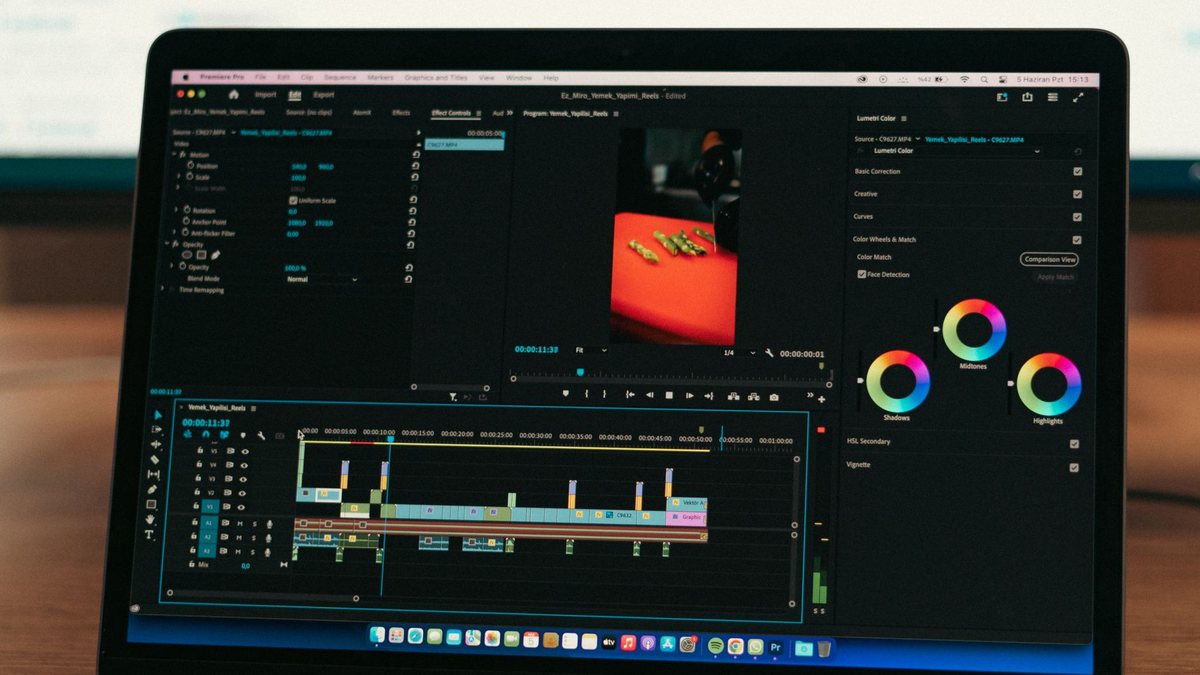
Photo: Muhammed Çetinkaya via Pexels
In This Article
Drop 8K action camera clips on a timeline and the machine that edited 4K without complaint suddenly cannot play back in real time. It is not the resolution itself and it is not your drive speed. It is decoding, and there is a five minute fix that professionals use on every project.
Resolution is not what slows the timeline
8K files are large, but size is not the reason playback stutters. Decoding is. An 8K action camera clip arrives as HEVC, often 10-bit, in a long-GOP structure where most frames reference other frames. Your editor has to decode chains of frames to show you any single one, and if the hardware decoder cannot handle that profile, the CPU does it in software. That is the stutter.
This is why two machines with similar benchmarks behave differently. Apple silicon has dedicated media engines for HEVC, and how many of those engines, and which codec profiles they support, varies by chip. A machine that plays 8K HEVC smoothly in QuickTime may still stall in a timeline with effects and colour applied, because the effect chain forces frames to the GPU as uncompressed data.

Proxies, and why professionals never fight this
A proxy is a lower-resolution copy that the editor plays instead of the original. The original is kept for the export. Every professional NLE supports them, and they turn an unplayable 8K timeline into a smooth one because the machine decodes a small file while you cut.
- Final Cut Pro: create optimized or proxy media on import, then toggle playback quality.
- Premiere Pro: create proxies as a batch step, and keep the toggle available while editing.
- DaVinci Resolve: generate optimized media, or use a proxy workflow tied to the timeline resolution.
On short social edits, proxies can feel like overhead. At 8K they are the difference between editing and waiting.
The part nobody budgets for
8K footage from a small sensor is often not worth the storage it costs. Twenty minutes of riding eats a card, a day of recording eats a drive, and a proxy workflow doubles the footprint during editing. If the final video is 4K or 1080p for YouTube, recording 8K to crop in post is a legitimate reason. Recording 8K because it is the biggest number is not.
Which machines actually cope
The honest answer is that most current machines cope with 8K if you give them proxies, and few cope with it raw in a busy timeline. The variable is not benchmark scores, it is whether the chip has a media engine that decodes the specific codec profile your camera writes. Cameras that record 10-bit HEVC in a long-GOP structure are the demanding case; cameras that offer an all-intra option trade card space for far easier playback.
Where machines fall over is the combination: an 8K clip plus stabilisation plus colour plus a second video track. Each of those forces a decode and a render pass. Proxies remove the decode cost, which is usually the bottleneck, and the rest becomes workable.
Settings that undo a smooth timeline
Two export habits waste the effort. The first is exporting at a bitrate so low that the detail you fought for disappears, which is common when publishing to platforms that recompress anyway. The second is exporting the timeline at 8K when the delivery is 1080p, which multiplies render time for a result the platform throws away.
Match the export to the destination: 4K at a healthy bitrate for YouTube, 1080p for social, and keep the 8K originals archived for the day you need a crop or a re-edit.
The cheap upgrade path
Before buying a new machine, check three things that cost nothing. First, whether your editor is actually using hardware decode, which most do by default but not always after an update. Second, whether your footage is on a fast internal or external SSD rather than a spinning drive or a slow card reader. Third, whether the timeline is at the clip's frame rate rather than being conformed, because conforming forces a render pass on every frame.
If all three are already right and the timeline still stalls, proxies are the answer, not a purchase. The only case where hardware genuinely wins is long-form work where you need to scrub 8K natively for hours, and that is a professional workload, not a motorcycle vlog.
Frequently Asked Questions
Why does 8K playback stutter but 4K does not?
Decoding cost, not file size. 8K HEVC requires far more decode throughput, and if the media engine cannot handle the profile, the CPU falls back to software decoding.
Do I need a new computer to edit 8K?
Not necessarily. A proxy workflow makes 8K editable on most recent machines, including laptops, because the editor plays small files while you cut.
Is 8K worth recording for YouTube?
Only if you crop or stabilise in post, or deliver 8K. YouTube compresses heavily, so 4K recording at a good bitrate often looks the same after upload.
Sources
- Apple silicon media engines. Hardware decode support for HEVC across Apple chips.