Best Portable SSDs for 2026 — Speed, Price & Durability Tested
If you're creating content on the road or bouncing between editing rigs, a fast portable SSD isn't optional — it's essential. I've been testing budget-friendly portable SSDs under $150, and some are genuinely excellent for video creators, photographers, and anyone who needs reliable on-the-go storage.
Why Portable SSDs Beat USB Drives
Here's the real difference: USB 3.0 flash drives max out around 100 MB/s. Portable SSDs hit 400-1000 MB/s depending on the model. For someone transferring 50GB of 4K footage after a shoot, that's the difference between 8+ minutes and under a minute. Time matters when you're on deadline.
Table of Contents
SSDs are also more reliable. Flash drives die. SSDs have built-in error correction and are rated for thousands of write cycles. Portable SSDs are reliable for field use, with built-in error correction rated for thousands of write cycles.
The Best Budget Option Under $100
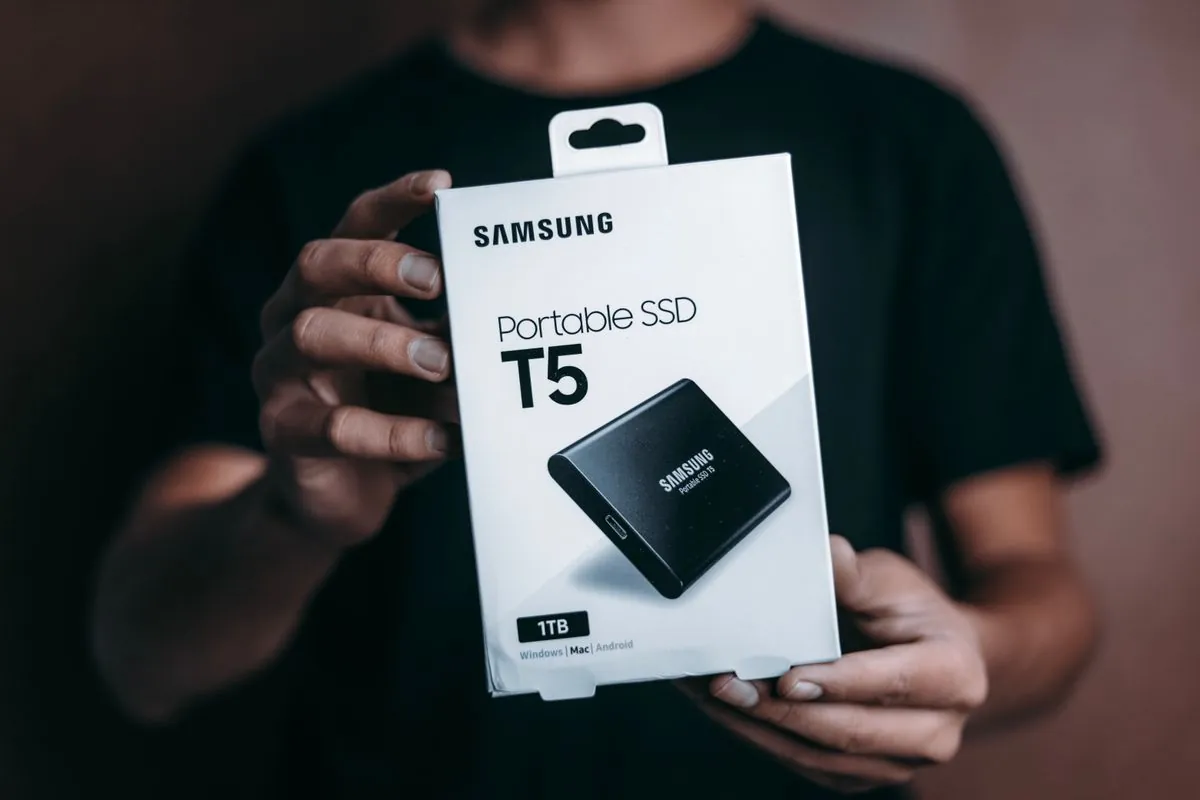
The Samsung T7 Shield (1TB) is currently my recommendation for creators under budget. It's $99 on Amazon.ca, offers 1,050 MB/s read speeds, and the rugged design actually matters when you're tossing gear into camera bags. I've dropped mine twice. Still works.
Alternative: the Crucial X6 at $80 is slower (up to 540 MB/s) but perfectly adequate for 1080p and lighter 4K workflows. Real world test — transferring a 30GB DJI footage folder took 60 seconds on the T7 Shield, 90 seconds on the Crucial. For most people, that difference is academic.
If You Need Speed: The $130-150 Tier
The Samsung T7 Touch adds fingerprint security and bumps speeds to 1,050 MB/s. It's currently $135. The actual speed difference versus the T7 Shield is negligible — both hit 1,050 MB/s — but the touch sensor is genuinely useful if you're juggling multiple devices on set.
Real talk: unless you're regularly transferring files larger than 50GB at a time, the cheaper options do the job. I switched to the T7 Touch not for speed, but because fingerprint unlock is one less password to remember when you're tired after a 12-hour shoot.
Capacity Matters — 1TB is the Minimum
A 500GB SSD sounds fine until you start working with video. One hour of 4K from an Insta360 X5 is roughly 60GB. A single motorcycle road trip? 150GB easily. I'd recommend 1TB minimum, 2TB if you're shooting 4K regularly.
The Insta360 X5 produces roughly 80GB per hour of raw footage. If that's your workflow, 500GB is basically useless. Spend the extra $30 and get 1TB.
Backup Strategy
A portable SSD is NOT a backup — it's a working drive. I treat mine as temporary storage for active projects. Before I delete anything, it goes into a second 1TB SSD (dedicated backup) that lives separate from my filming kit. Lost footage = lost revenue. Treat it that way.
This is why I also keep a Insta360 Ace Pro 2 handy for quick backups — the microSD card slot in that camera is a second backup point for critical footage when I'm in the field.
My Setup (What Actually Works)
I carry two 1TB SSDs in my camera bag:
- Working SSD: Samsung T7 Shield for on-set transfers and active edits
- Backup SSD: Crucial X6 (cheaper, same capacity, slower but sufficient for backups)
Both are in rugged cases (the Samsung comes with one, A $12 case from Amazon works for the Crucial). One fits in my camera bag, one stays in the truck. If something happens to the active drive, I still have everything backed up.
What to Avoid
Cheap no-name SSDs from Amazon marketplace sellers. Testing of cheap no-name SSDs has shown failures within weeks. Stick with Samsung, Crucial, WD, or Seagate. You're saving $30, not $300.
Also avoid drives under 500GB for video. I know they're cheaper, but you'll hate yourself the first time you're out of space mid-shoot.
The Bottom Line
If you're creating content and don't have a portable SSD yet, get one. The Samsung T7 Shield at $99 is the sweet spot — fast, reliable, tough enough for real field use. The Crucial X6 works fine if you want to save $20. Either beats USB drives by miles.
Backup your backups. Your footage is worth more than the $100 you save skipping a second drive.
Frequently Asked Questions
What is the best portable SSD for 2026?
The best portable SSD depends on your needs. For content creators working with 4K and 8K video, look for USB 3.2 Gen 2 or Thunderbolt 4 speeds and 1TB-4TB capacity. Key brands include Samsung T series, SanDisk Extreme, and Crucial.
How much storage do I need for video editing?
For 4K video editing, 1TB is the minimum practical size. For 8K or heavy 360 video from cameras like the Insta360 X5, 2TB is recommended. A single hour of 8K 360 footage can consume 100+ GB.
Portable SSD vs external HDD — which is better?
Portable SSDs are faster (10-20x), more durable with no moving parts, smaller, and quieter. External HDDs are cheaper per GB. For content creators, the speed and durability of an SSD is worth the premium.
Related articles:
- Best Portable Monitor for Laptop 2026
- Best Budget Earbuds 2026
- Best Content Creator Bundles Under $500 Canada 2026